Last updated on 12 May 2026
Quizlet is a very comprehensive tool for create flashcards or memory cards online easily. It is arguably one of the best tools in its class.
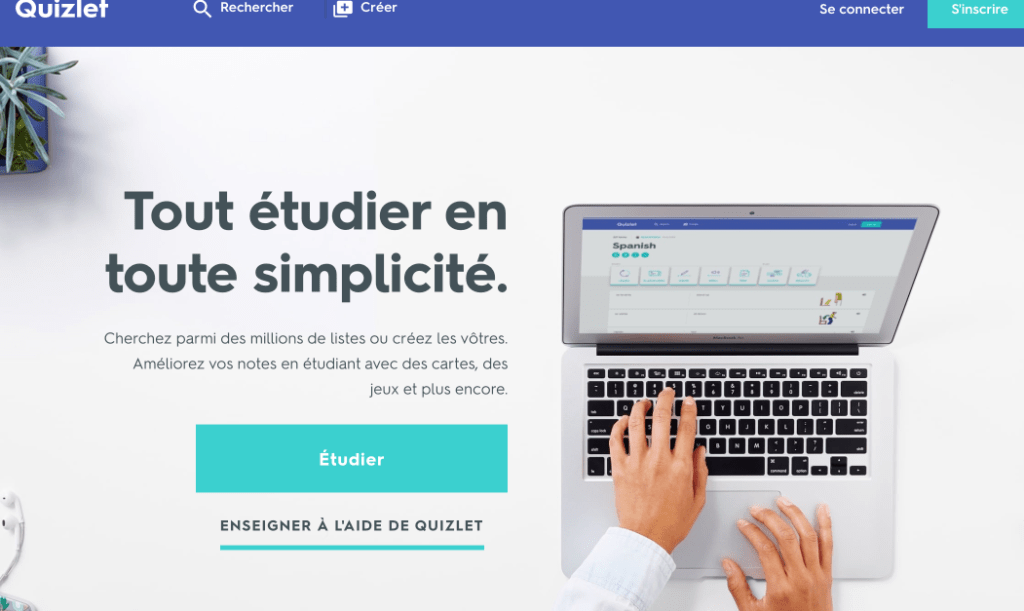
A few days ago, I introduced you to the excellent Wordeys that allows you to memorize vocabulary in a foreign language. Quizlet too can help you with this, but it can do a lot more. An old tool, it has gradually evolved and has been enriched with many functions that now make it a formidable weapon to help your students learn or revise knowledge.
Table of Contents
Quizlet is based on the system of flashcards or virtual memory cards
Forget the memory card in the form of a cardboard card with a question on its face and the correct answer on its back. We draw cards randomly, we read the questions, we give the answer, then we check by turning the card. Online versions open up many more possibilities that range from individual review or group play.

Quizlet offers hundreds of thousands of lists of ready-to-use card series. Learn vocabulary in a language, revise the spelling of words, train in maths, history, geography with maps, … images you will be spoilt for choice. But you can also and above all create your own lists in a snap.
Choice in the different modes of learning
Once created, they will serve as a basis for different forms of learning. You will be able to offer them in the form of classic quizzes in limited time, in memorization mode, in game mode, in dictation mode. The latest version also allows voice cards to be recorded. Here again Quizlet gives you the choice and allows you to vary the pleasures.

Your students will love Quizlet Live mode. A mode that will turn any list into a cooperative game for the class. Students are divided into teams and race live to arrive first by answering the questions correctly. Noisy, but ultra effective.
Quizlet is very easy to handle and recently offers ergonomics and a renewed graphics that make its use very pleasant.
The Quizlet platform offers a specific version for teachers.
An access and a version for teachers that allows you to manage your lists, your class and the progress of the class group, but also of each student. Practical.

Please note that Quizlet can be used on a computer from any web browser. You can also use it in mobility on a smartphone or tablet. Quizlet offers quite remarkable apps for iOS and Android.
You can use Quizlet for free. However, a premium version for teachers, at around EUR 30 for a whole year, makes it possible to get rid of advertising and offers, among other advantages, an offline version.
Link: Quizlet

 English
Hello
Quizlet is really a smart app, we have been using it in our apprenticeship training center for over a year. Apprentices feel supported to revise. To be tested!
Yes, I confirm, students (Italian-speaking academics) love it. For students who like to have a paper medium, they can also print the lists or save them and insert them for example on a word document. What I prefer is to offer lists without translation but with an image provided by Quizlet. It is true that sometimes (but rarely) the images offered are not great. This is probably what could push me to switch to the paid version this year. What is also great is that you can create a list live in class with the students by inserting the words they propose on a given topic (e.g. Christmas lexicon) and then invite them to complete the list proposed at home or in the laboratory. Working in collaborative mode is still more stimulating and reassuring for the teacher especially when he has to translate the words into L2 while the students are L1!!! Absolute fan of Quizlet.