Last updated on 10 November 2025
Between textbooks, 45-minute documentaries and YouTube videos, websites and scientific articles, our students are wrapped up in information. The real challenge is no longer to access knowledge, but to structure it.
And if any content could be converted into a mind map clear and actionable in seconds? This is what is proposed Mapify, which I invite you to discover in this article.
Mapify builds on theartificial intelligence to generate in a few seconds a Clear Mind Map from text, PDF, web page or video. Unlike the tools of mind mapping Mapify offers a basic map that is already structured, which can then be adjusted in two or three clicks. The result is clean, logical and ready to be shared with a class or team.
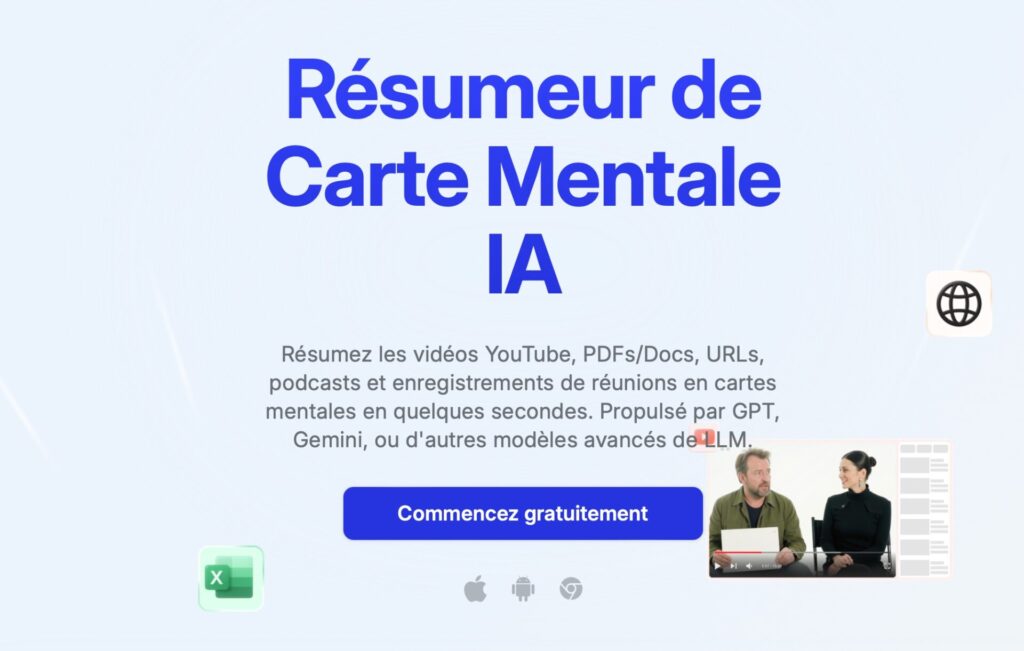
Table of Contents
A smart summarizer that speaks all formats
Mapify is unlike any conventional mind mapping tool. Rather than a blank canvas to be filled in manually, it automatically analyses your teaching content and generates its hierarchical structure. Powered by GPT, Gemini and other advanced language models, he digests pretty much everything submitted to him.
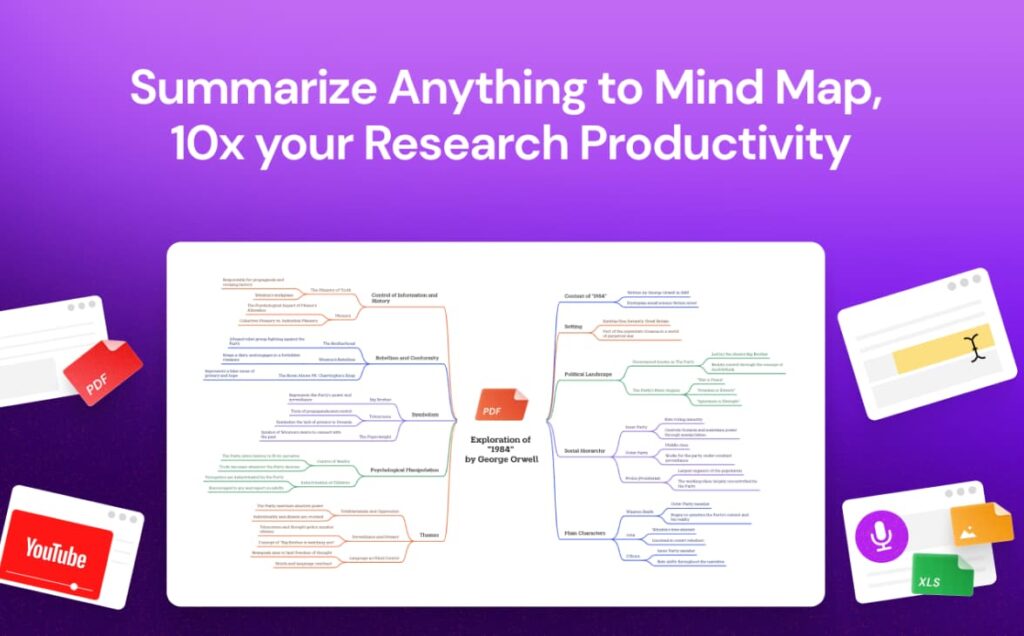
You can entrust him with a 50-page PDF from a history manual. A YouTube Video on photosynthesis. A research article in English on global warming. A podcast from France Culture. Even a photo of your handwritten notes taken during a training. Mapify analyses, structures and renders the essentials as an interactive mind map in seconds.
The tool works on a web browser, offers a Chrome Extension, and exists in mobile application. Your mind maps automatically sync between all your devices. The free version already allows you to test the main features.
Take control of Mapify in fifteen minutes
First card: the Step-by-Step Method
See you on mapify.so and create your free account. The interface welcomes you with a simple question: What kind of content do you want to transform? Seven options are displayed as icons: PDF, YouTube, web page, text, audio, image, or start a blank card.
Start with a simple test. Choose "YouTube" and paste the URL of a educational video 10 minutes on a topic you teach. Click on the "Mapify" button. Thirty seconds later, your mind map appears, already structured into themes and sub-themes. Clickable timestamps allow you to check the relevance of each branch. The branches of the mind map refer to the precise moment of the video.
For a PDF, the process remains the same. Download the file, wait a few moments, and watch the magic work. Advice: Start with a short document (5-10 pages) to familiarise yourself with the logic of structuring AI before tackling pavements.
Customize and enrich
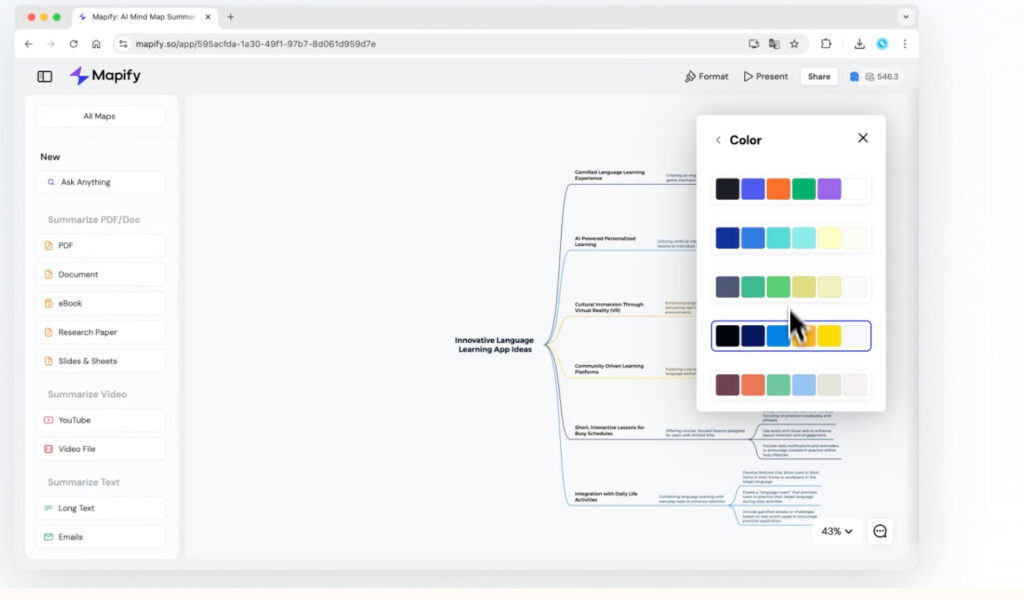
The generated card is your base of work, Not a finished product. Hover over any node: Options appear. Edit the text directly. Move a branch by dragging and dropping. Remove superfluous items. Manually add a concept that AI would have forgotten.
The ‘Expand’ button on a branch triggers automatic deepening. The one marked "AI Search" activates the web search for this specific branch. The chat at the bottom of the screen allows you to converse with your document: ‘Summary this branch in three points’, ‘Add concrete examples’, ‘Translate this section into Spanish’.
Exports deserve attention. Click on "Share" to generate a public link that your students will consult without connection. Prefer "Export" then "Presentation" to turn your card into course support projectable. The image format is suitable for integration into an existing Word document or presentation.
Four game-changing assets in the classroom
Your PDFs become instant visual syntheses
You have just downloaded a 40-page chapter on the French Revolution ? Drag the PDF into Mapify. Within seconds, the tool extracts key dates, main characters, causes and consequences, organized into logical branches. Better yet: it translated and summarized foreign documents in more than 30 languages. An academic article in English becomes accessible to your fourth grade students.
The built-in chat function then allows dialogue with the document. “What do Robespierre and Danton have in common?” AI responds based on the content analysed and can enrich the mind map with this new information.
YouTube has never been easier to use
Educational videos are plentiful on YouTube, but their exploitation in class remains time-consuming. Mapify is a game changer. Paste the URL of an Arte documentary on DNA. The mind map is generated with the main concepts: DNA structure, replication, mutations, medical applications. Each branch refers to the exact timestamp in the video.
Do you click on ‘DNA replication’? You land directly the minute the documentary talks about it. No need to watch 40 minutes to find a passage. The full transcript also appears next to it, making it easier to take notes or analyse the scientific vocabulary.
Automatic enrichment boosts desk research
Activate the mode web search, and Mapify is no longer limited to analysing your initial source. It explores the internet to enrich each branch with additional information and reliable links. On a map dedicated to renewable energy, it will automatically add the latest statistics, recent innovations, current debates.
Clicking on any branch also makes it possible to delve deeper into it instantly. ‘Develop’ on ‘solar energy’ automatically generates sub-branches: photovoltaic panels, thermal power plants, advantages, disadvantages, cost.
From sharing to presentation, everything is fluid
Once the card has been generated and personalised, it remains to be exploited. Mapify offers several exports: PNG image to integrate it into a course, PDF to print it, Markdown … The public sharing link works without your students creating an account.
The real nugget? The presentation mode. With one click, your mind map turns into a structured slideshow, with each branch becoming a slide. Ideal for projecting in class or allowing a student to present their work without opening PowerPoint. The tool even generates contextual images to automatically illustrate key concepts.
What you need to know before adopting it
Mapify does not substitute the teaching of the methodology. Your students need to understand why one piece of information is more meaningful than another and how to organise concepts in order of importance. The tool produces a structure, but the development of thecritical thinking Remains within your jurisdiction.
Like any AI production, the card requires verification. The algorithm sometimes misinterprets, omits nuances, rarely invents, but often simplifies a little too much. Keep your expertise in mind. Mapify's map is just a clever sketch.
The platform offers a free trial version to get you started. For full access, you will need to opt for a paid subscription starting at around EUR 5 per month.
An original resource for diverse media
Mapify still delivers on its promises: turn any content into a workable mind map. The versatility of the supported formats is impressive. The interface remains accessible even to those most allergic to the technique.
The tool shines particularly for prepare your courses. You will save hours of manual synthesis on long videos or dense texts.
If you are a teacher in subjects with many documents (history-geo, science, languages) the tool will find its place. If you have heterogeneous classes, you will be able to adapt complex resources more easily.
Mapify just asks for a time of ownership. Not to make it work – it’s childish. But to think about how to integrate these automatic cards into your pedagogy. Artificial intelligence assists, you decide. This clear positioning ensures that the tool serves learning rather than replacing it.
An original resource to test. I look forward to your feedback.
 English
This is great! I will try it to help students to make syntheses in geohistory, see with them what is important and would have been neglected or poorly presented, compared with the mental map they prepared without AI, complete the map with relevant illustrations (possibly planned by me but distributed at random, instructs them to place them where to do it. THANK YOU!
This tool looks really interesting. I'll test it this week.
I have been subscribed to your newsletter for years and not a number without a discovery that attracts me and helps me in my job. You do a remarkable job that feeds my watch in an exciting way and that acts directly on my practice. In short, a genuine self-training tool for which I am very grateful. A very big congratulations and thank you!