Last updated on 12 May 2026
As long as you spend a lot of time watching movies and videos, both useful and pleasant. Here are seven resources to review or learn English while watching movies on TV. This also works for languages other than English for that matter …
Tools that will never replace real English courses but allow you to strengthen your skills, improve your pronunciation, enrich your vocabulary. Online applications, real language assistants.
Table of Contents
Sufli
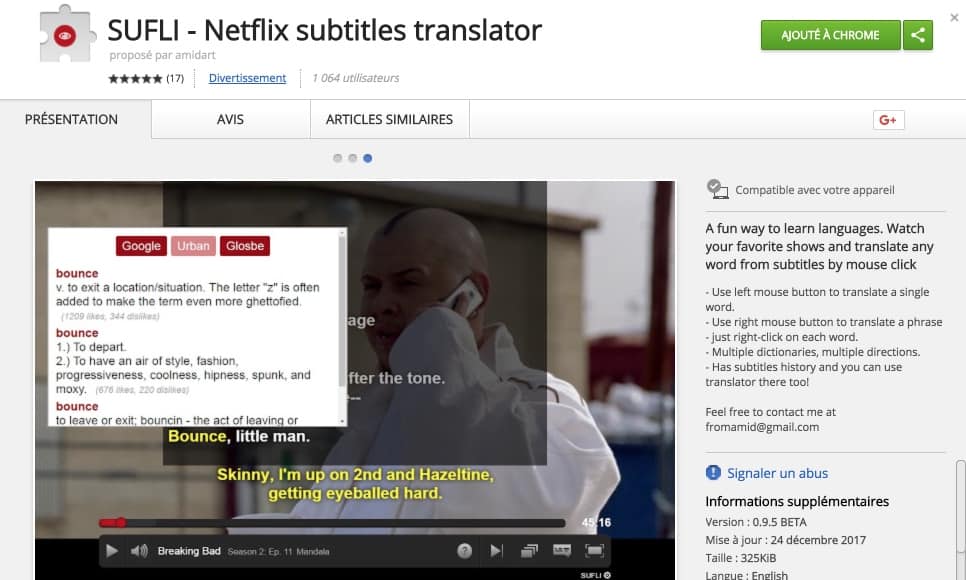
Sufli is an extension for Chrome. Once installed on your browser, subtitles on Netflix will gain additional features. Just choose a movie and ask for the subtitles of the language you want to learn. When you click on one of the words, the translation of the word appears immediately. Practical for checking the meaning of a word in a sentence. Sufli stops playing the movie while you let you read the translation.
Link: Sufli
LLN
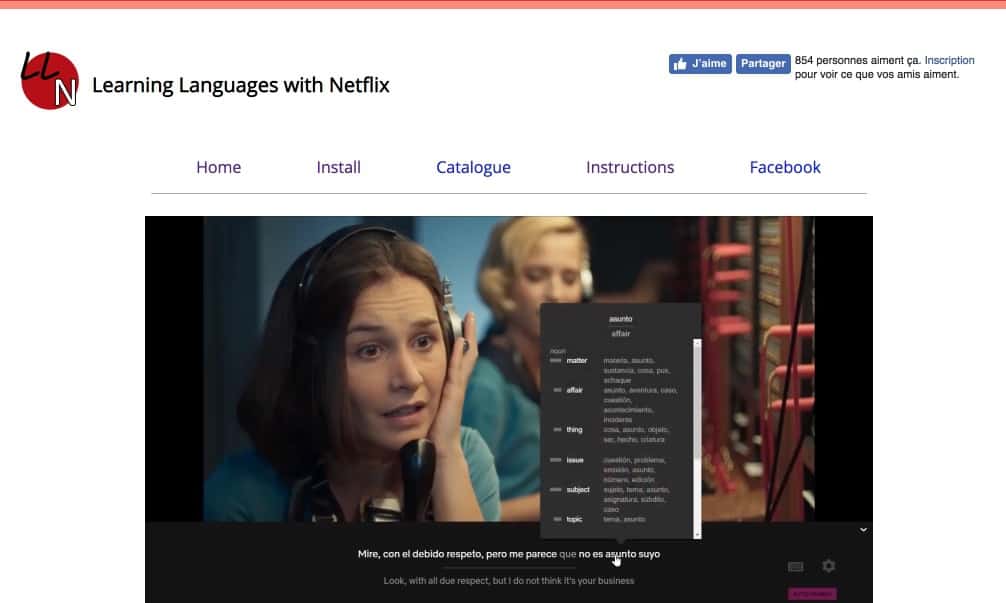
Learning Languages with Netflix only works on the streaming platform of the same name. LLN offers a slightly different approach to the other tools on this list. He allows you to view Netflix with two subtitles At the same time, yours and the language you want to learn. It also allows interaction, giving definition and meaning to a word or expression.
Link: LLN
Lingvo TV
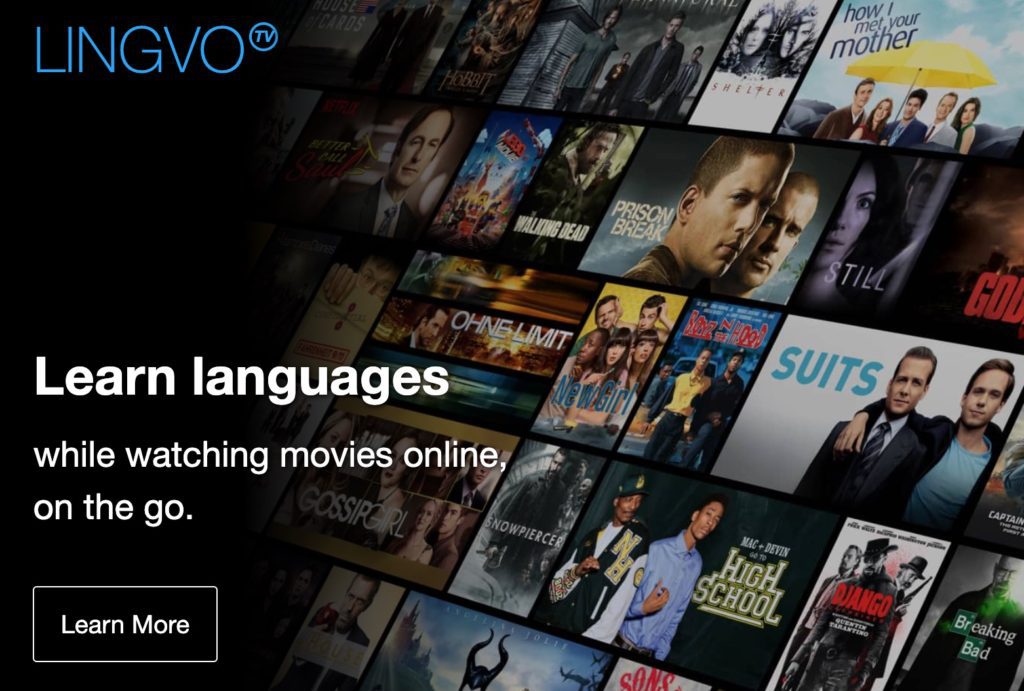
Like other applications presented here, Lingvo relies on films broadcast on popular platforms such as Netflix, Amazon Tv or YouTube. Lingvo Tv will provide you with an extra screen on your mobile phone. Once installed via an extension for Chrome, you will be able to copy the subtitles of the film to your mobile phone. These are displayed on your smartphone and you will be able to translate all the words with a simple finger tap on the fly. Malin.
Link: Lingvo TV
Fleex

Fleex is one of the forerunners of this series of tools based on film subtitles to learn a language. The system is perfect. Fleex's method is based on double subtitling. You watch a movie known in English with subtitles. The latter according to your level can be at times either in English, or in French, or both. In use it is very effective.
Link: Fleex
Subtly
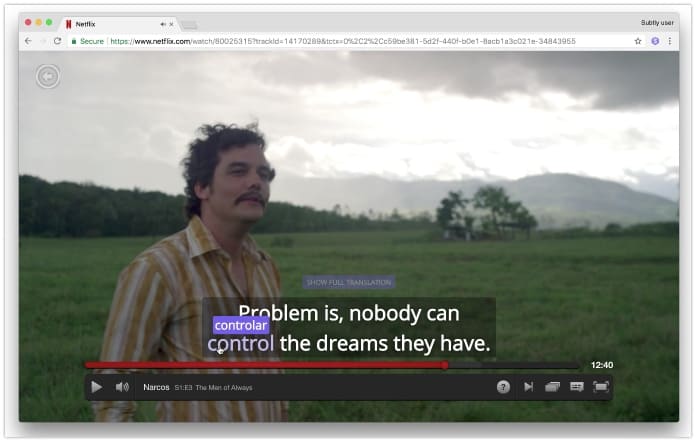
An extension for Chrome that will inject interactivity into the subtitles of films broadcast on Netflix. Once activated in your browser, the English subtitles of any programme broadcast on Netflix will become interactive. Click on a word or phrase in the English subtitle to translate it into the language of your choice. To date, you can choose nine languages, including French, German, Italian, Spanish, Japanese, Portuguese or Chinese.
Link: Subtly
Caption Pop

Caption Pop uses the same double captioning idea except that this time you will be able to draw videos in YouTube. A bit apart from this list but very useful for a teacher looking for examples, Caption Pop makes it possible to search for video clips and clips that include a word or phrase. You can also memorise the subtitles, repeat the extract with one click or slow down the video. That's great.
Link: Caption Pop
Quioz

Quioz is a platform for learning English by watching films set up and offered free of charge by the Ile de France region. Quioz targets audiences of all ages from the age of 15 and enables people to learn or improve in English, Spanish, German, Portuguese, Chinese or French …. Exercises and games punctuate progressions based on excerpts from films, series or documentaries. While the homepage is very successful and should appeal to a young audience, once connected the interface is a bit sketchy. Another regret is that you need an email or a LinkedIn account to register. The subsequent use is entirely free of charge.
Link: Quioz

 English
Hello, Subasub has closed.