Last updated on 12 May 2026
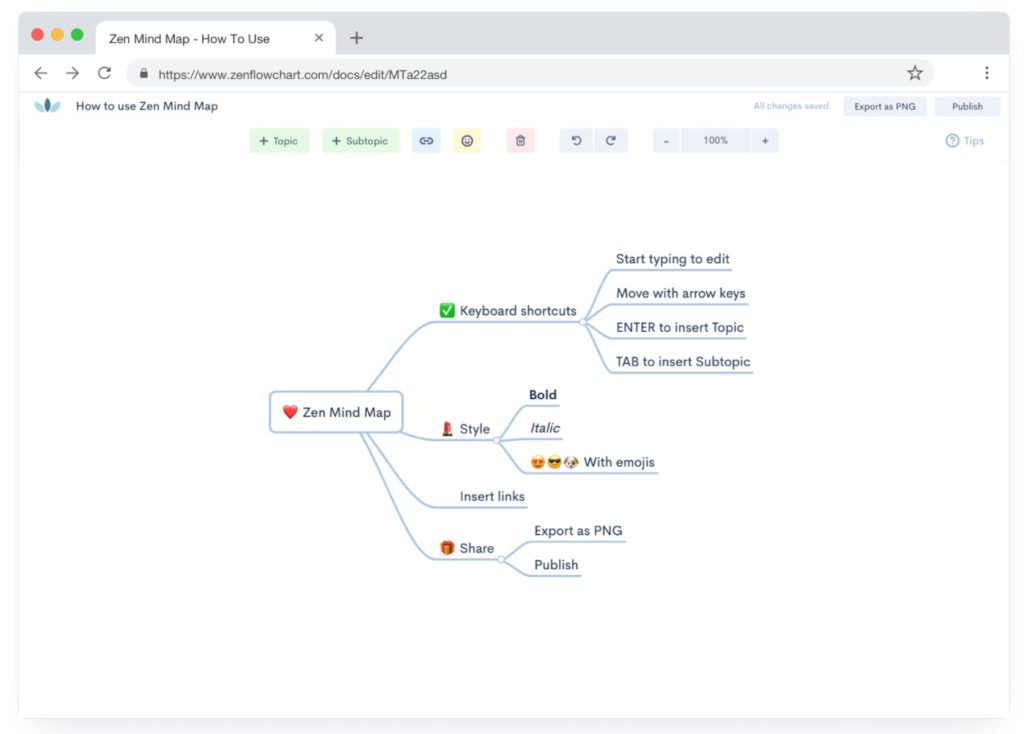
Zen Mind Map is a new online tool for make mind mapping easily. It is arguably one of the simplest and fastest services to make a free Mind Map in minutes. The tool bears its name, Zen Mind Map offers a simple and stripped-down interface that facilitates concentration on the essentials: the content and not the tool.
Mind map, visual representations to help think and memorize
Have you tested the mind maps or mind maps with your students? Considered the best way to break down, structure and organise information so as to ‘synchronise’ it with how your brain works, mental mapping (or conceptual mapping) has moved from a somewhat marginal idea a few years ago to a method popular in schools and teaching centres.
The beauty of a mind map is that it moves away from the traditional linear approach to note-taking.
It visually breaks down an idea by starting with a central theme, then branching out from it, highlighting the links that exist along the way. A mind map has a natural structure that generates and consolidates ideas much more efficiently than linear note-taking would allow.
Make a Mind Map Easily with Zen Mind Map
This is the promise of Zen Mind Map. Promise kept and that is good news. The difficulty of handling some Mind Mapping tools remains the main obstacle to more widespread use. This free Mind Map platform allows to Make a mind map in seconds and in a few keyboard clicks. The idea is to allow you to carry out visual mapping at the speed of thought.

The interface shall be simplified as much as possible. No boxes. No floating icons. No distraction. Introduce in the center the theme or subject of your heuristic map. From this centre, all you have to do is insert coloured branches in all directions to translate the main ideas into keywords. These branches in turn radiate to secondary ideas, etc. Zen Mind Map allows you to embed links and a series of emoticons to brighten up your representation. The tool also offers you a series of keyboard shortcuts that you quickly get used to to go even faster.
Once your card is complete, all you have to do is download it in PNG format. You also have the possibility to publish it online, so it will be accessible via a URL.
Zen Mind Map is free and ad-free. The number of cards you can create and keep in the free version is limited to five. For about two euros per month, you can blow up this limitation if necessary.
Link: Zen Mind Map
 English
Hello,
Thank you Fidel for sharing.
Since I discovered Mind Mapping, I have been using it in my professional setting, but also in my personal life. On the pro side, it can be my list of things to do, the characteristics of a product, an oral presentation. I showed my cards to qq. people around me who have also adopted this . technique It is so easy to use. A real tool. I also recommended it to my girlfriends who have children.
Hello Fidel,
I have been using mind maps with my students for many years. I use Xmind free version with students who have no limit. More streamlined than the Pro version that I have for me, which is largely sufficient and offers many presentations. When it is not installed on , high school posts, I use MindMup. Thank you for all these … shares