Last updated on 12 May 2026
Want a little Karaoke with your students? Need them to work on the lyrics of a song? For delete the voices of a song and create an instrumental version, several online tools can be used. Here are some of the best tools to separate the voice from the music of a song.
Table of Contents
What are the methods to remove the voice from a song?
To remove the voice from a song, you can use audio editing software such as Audacity and Adobe Audition that offer voice isolation tools. You can also try online services that specialize in removing voice from songs, but the quality may vary.
Discovery of Vocal Remover and six other great online tools to create an instrumental version of a song by deleting voices or vice versa to delete music.
How to use these tools to separate the voice from the music?
The use of most of these tools is extremely simple. You usually need to download your audio or video file, wait for the processing to be completed, and then download and recover the resulting instrumental file.
The quality of the instrumental file may vary depending on the original song and the tool used. In addition, some tools may not be able to completely remove voices, especially if they are heavily integrated into the song mix. There are many free voice remover solutions on the internet. However, it is important to choose a reliable and effective solution to achieve the desired result. Here are six I can recommend.
Give way to music and these six tools to separate voices and music in a song:
Vocal Remover. Remove the voice from a song with one click
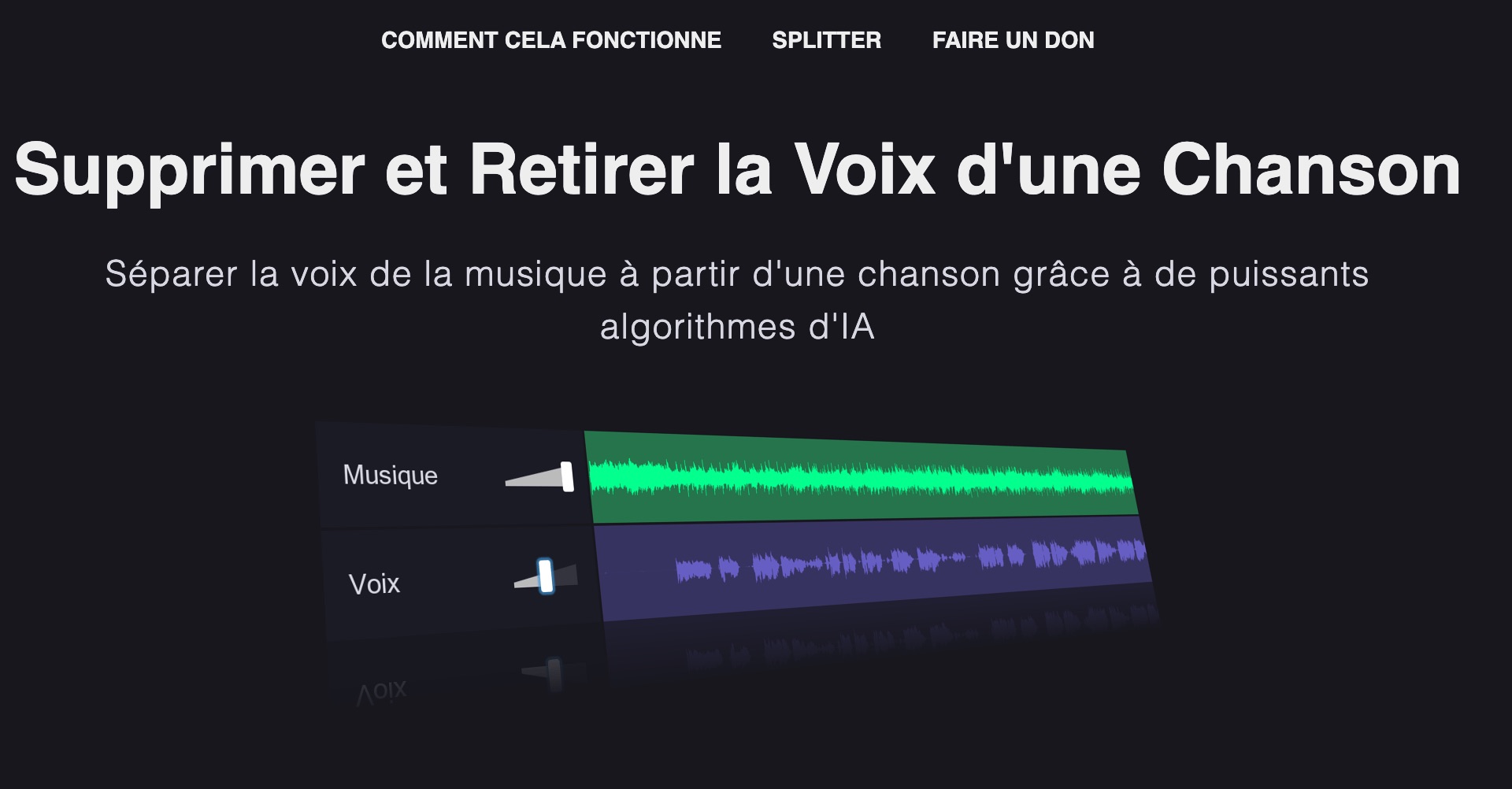
Vocal Remover is an online utility that allows to very easily separate the voice from the music in a song. A free online app for one click to delete the voice of a song. Practical.
Vocal Remover is a small free online utility that will allow you to play sound engineers and get either only the lyrics or only the music from a song in MP3 format. Ideal for karaoke or for pedagogical use in language or French classes.
The tool is very simple to use, a bit like Audacity. It can be used without even needing to register. You need to upload the MP3 file of the song or musical title you want to work on. Once transmitted, AI Vocal Remover extracts the vocals from the songs.
You will be able to either remove the voice from an mp3 or remove the music. In other words, you will be able to separate voice and instrumental. For a song, the operation takes only one to two minutes. You can also use Vocal Remover to lower or completely remove the volume of the music, leaving only the voice of the song.
Vocal Remover made in simplicity. No need to use artificial intelligence, the free software will show you a small audio player with an audio track for each of them. The first contains the music, the second the voice. A cursor allows you to pre-listen to either or both of them simultaneously.
The quality of the extraction is really excellent. The tool then allows you to save the result and recover the audio file(s) always in MP3 format. You have the choice between a file with only the music track, a file with voice or a file mixing both tracks.

Note that the platform also provides some other small tools for juggling sounds and in particular a very simple to use editing table to cut and mount a sound file or for merge two audio files in just a few clicks.
For more advanced functions, you will have to go through more powerful applications that most of the time use a good dose of artificial intelligence. Vocal Remover is limited to small practical functions that make it an additional free and free solution for editing sound files online. No iOs or Android mobile app, Vocal Remover is used exclusively on the web.
Notta. Separate the voice from the music

Notta offers a small free utility to separate voice and background music from any audio and video file. AI of the tool accurately separate the voice and instrumental from the music. You will then be able to download the extracted voices or music according to your needs. The audio file format is MP3. The tool is often overloaded and extraction times can be long but the result is very good. Notta also offers an option to get an acapella version of your song, with the music group's isolated voices.
Phonicmind. A professional tool for a high quality result

Another AI-based online application that separates singing, drums, bass and other musical instruments from the song with exceptional quality. A professional tool. That at a price. Phonic mind will ask you about two euros per song.
Media.Io Separate tracks with voice on one side and music on the other

MediaIo offers a small free utility that does the perfect job of removing and removing the voice from a song. Vocal Remover de Mediaio is an online tool that allows you to create an instrumental version of any popular song in just a few clicks. It removes unwanted human voices accurately and gets music without lyrics. But it also allows if you wish to recover apart an audio file with voice only. This is convenient. Free use for occasional needs.
MediaIo’s user interface is simple and ad-free, making it a good tool for separating voices from online music.
In addition, MediaIo offers other free tools such as audio recording or cutting, making it an interesting solution for simple manipulation of audio files.
MyEdit Remove the voice from a song with the online voice separator via AI

MyEdit is another interesting alternative for playing with the music and voices of a musical title. It makes it easy to remove voices from a song thanks to artificial intelligence (AI). It is designed to be simple, intuitive and precise.
The tool offers the possibility to create instrumental or a cappella tracks without manual operation. In addition to voice suppression, MyEdit also offers tools for cutting and improving audio tracks, as well as a voice modifier with many realistic effects.
Lalalai.Separate vocal parts and instruments

Lalalai is un Next-Generation Voice Removal and Music Source Separation service for fast and accurate track extraction. You will be able to remove or separate vocal, instrumental, drum, bass, piano, electric guitar, acoustic guitar and synthesizer tracks without any real loss of quality. Il supports MP3, OGG, WAV, FLAC, AVI, MP4, MKV, AIFF, AAC formats.
Moises. A complete application for musicians

Moises is an application designed for musicians, offering advanced functionality through artificial intelligence (AI). It separates the different components of a song, such as vocal parts, percussion, guitar, double bass, tones, and other instruments.
This AI-enabled audio separation capability gives users the ability to play alongside their favorite artists by isolating specific instruments or mute certain tunes, all with a single click. Oh, owl.
—
Deleting the voices of a song to obtain an instrumental version is a practical process for many situations, such as performing karaoke or teaching work in the classroom. Fortunately, there are now several online tools that make it possible to carry out this task in a simple and effective way.
Whether free apps like Vocal Remover, Notta or Media.io, or more comprehensive tools requiring a subscription like Lalal.ai and Phonicmind, these services rely on artificial intelligence algorithms to separate music from voice tracks. The result is not always perfect, but these tools still offer practical solutions to quickly get a custom instrumental version from the original audio of any song.
If you know or use others, please share them in comments.

 English
I have been using this tool for some time now it is wonderful , the sound quality is exceptional . The only downside is that I am limited in the number of titles I want to work on. But it is not much for the good quality of the work, it is enough to be patient and come back later when we are limited. Thank you for your service
It is the best free site that offers so many possibilities: change the tone, tempo, isolate voice or music.
The only downside: it is impossible to modify several files as a result. But this is normal due to the fact that it is free of charge. You can become a member for 5€/month
Great!! A big thank you, I just tested Vocal Remover. The result is bluffing.