Last updated on 12 May 2026
How to give color to your old black and white photos? How to inject a little life with color into historical photos?
Switching to colour or colouring black and white photos is within the reach of anyone who is proficient in professional digital image processing software such as Photoshop. If you don’t, you can still do real miracles thanks to artificial intelligence and the development of online digital tools. You can now successfully colorize black and white photos with two clicks three moves.
Here is 8 Incredible Online Tools That Will Automatically Give Color to Your Photos in black and white for free. The result is astonishing.
Table of Contents
Image Colorizer. From black and white to color
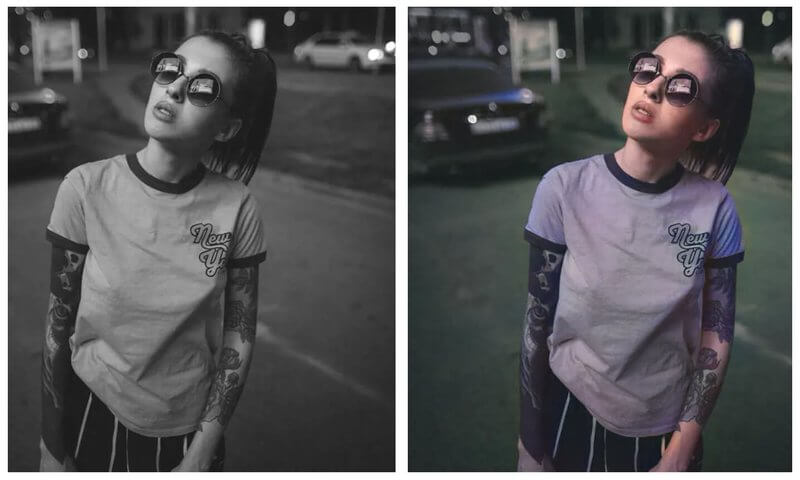
Image Colorizer is an online tool powered by artificial intelligence that allows you to colour old black and white photos and give them a new life. This is a fully automatic process for changing the colour of an image. Automatic and fast, Image Colorizer allows you to colorize black and white photos in just a few seconds. The tool is completely free of charge. You upload your photo, one click and three seconds later, your color image can be uploaded. Note that the site does not keep any trace of the images, all uploaded photos are deleted every 24 hours. One of the best tools of its kind.
Palette. Coloring an online image in one click

Template: is another solution that shines by its simplicity and by the result obtained. Simplicity, it is actually difficult to make it simpler. You do not need to register or download anything. The department doesn't keep anything from you. Not your identity, not your photos.
You drop your image and one click later you have your colorized image ready to download. The site offers you a dozen different filters to play with the hue and colors.
DeepAi. An API to colorize all images and videos

DeepAi he too shines with its ease of use. It will allow you to edit photos online and color images or videos in black and white using an image coloring API. Add color to old family photos and historical images, or bring an old film back to life with colorization.
This image colouring API is also based on artificial intelligence. This one does wonders and has learned to give color to black and white images.
PicWish. A powerful online photo editor
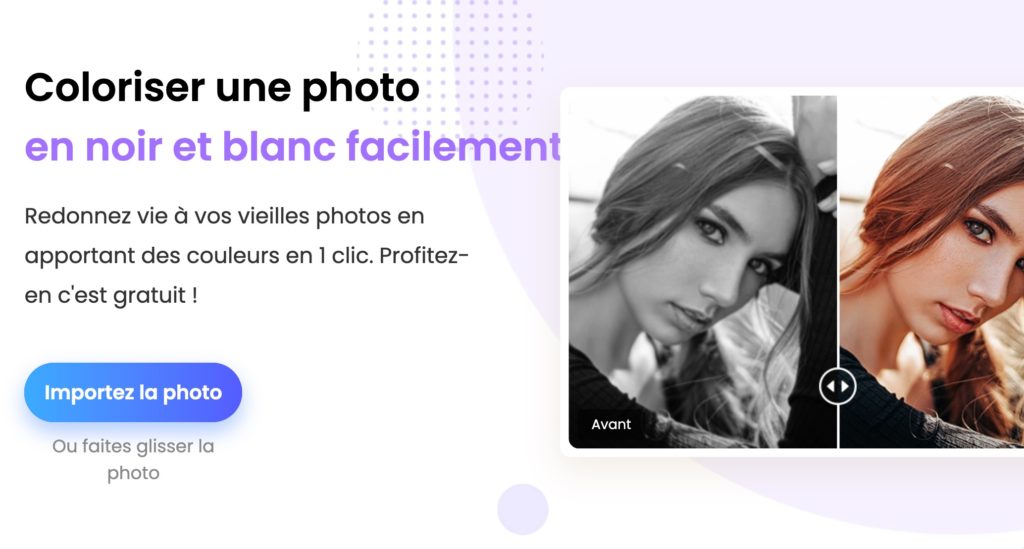
Picwish is actually much more than a free utility to colour your images. It is a complete photo editor with many functions such as the possibility of, for example, remove the background of an image. More recently, he added the colour option. It allows you to turn a black and white photo into a color.
Aim, among other things, to bring old black and white photos back to life. How to proceed? You upload your photo in black and white and in a few seconds it is colored and ready to download. The result is very nice.
Cutout. Give color to your images

Cutout is also an app that knows how to do a lot to enable you toimprove your photos or videos. Optimisation, cropping, removal of backgrounds and of course switching to the colour of black and white images.
The site claims to use AI image staining algorithms tested on millions of black and white photos. In any case the result is of quality. The colors are natural and realistic. Your old photos will surprise you.
Colourise. An open source tool to easily switch from black and white to color

Colorized is a free and open source photo editing tool that allows old black and white images to be coloured using artificial intelligence (AI)1. It supports the image formats jpg, jpeg and png, with a maximum of 5 MB. The tool is completely free of charge, with no limits on image processing or uploads, and does not leave watermarks on coloured photos.
IMG2Go. Successful use of artificial intelligence

IMG2Go offers an image coloring feature that uses AI image coloring algorithms and deep learning to add natural and realistic colors to your old black and white photographs of the past. The interface is intuitive and easy to use. Just upload the photo to get high-quality colorized online photos in seconds.
Fotor. A color specialist for your monochrome files

Fotor is another online tool for the retouching digital images of which I have already said a lot of good. Fotor uses artificial intelligence technology to consistently analyse and transform your images into rich, high-definition HDR photographs. It offers a variety of features to adjust colours, including saturation and heat sliders to change colour aesthetics.
Which tool to choose when choosing to bring your images back to life?
It is really difficult to simply answer this question. It depends on many things including the quality of your original image or what you want to do with the new file.
Do not hesitate to do tests. Here is what I noticed after doing several tests with all these tools.
1. Naturalness of colours
The colors should look natural and realistic, without being too bright or too dull. Template.fm is considered one of the best tools to produce natural and realistic results.
2. Accuracy of colorization
The tool shall be able to detect the details of the image and accurately colour them. IMG2Go uses AI image staining algorithms and deep learning to add natural and realistic colors to old black and white photographs. The result is convincing.
3. Quality of the final image
The final image must be of high quality, with satisfactory resolution and sharpness. Colourise produces high-quality colorized photos, with high-quality AI colorization and restoration technology.
4. Consistency of colours
Colours must be consistent in the image, with no incoherent or unexpected areas. Fotor does very well by using AI to analyse and transform your image into a rich, high-definition HDR photograph.
What do you think? Have you tested any other tools?
 English
1 Response
[…] Next post: Discover a list of sites that allow you to switch to the color of black and white photos. […]