Last updated on 12 May 2026
How to easily store and find cross-referenced online resources when searching the web? How can you easily and from anywhere from any computer access the list of your favourite sites?
Here are 7 online tools which I had the opportunity to present this year on the website and which will allow you to Keep in mind, classify and organise, but also simply share all your favorite sites.
Table of Contents
Diigo

Diigo is an old and proven bookmarking tool. It allows pages and web content to be saved on the fly with a single click. Above all, it allows you to organize them so that you can find them and share them easily. The platform has just launched a new version with a refreshed graphics and some interesting new options. Probably one of the best tools in its class well suited to the world of education.
Link: Diigo
Sqworl

Sqworl is also particularly well suited to the world of education. It allows you to create from all the favorites that you will save thematic pages that you can then easily share with your students. Ideal for example to propose a list of resources on the web. Sqwol also allows you to comment and discuss each resource online.
Link: Sqworl
BookmarkOs
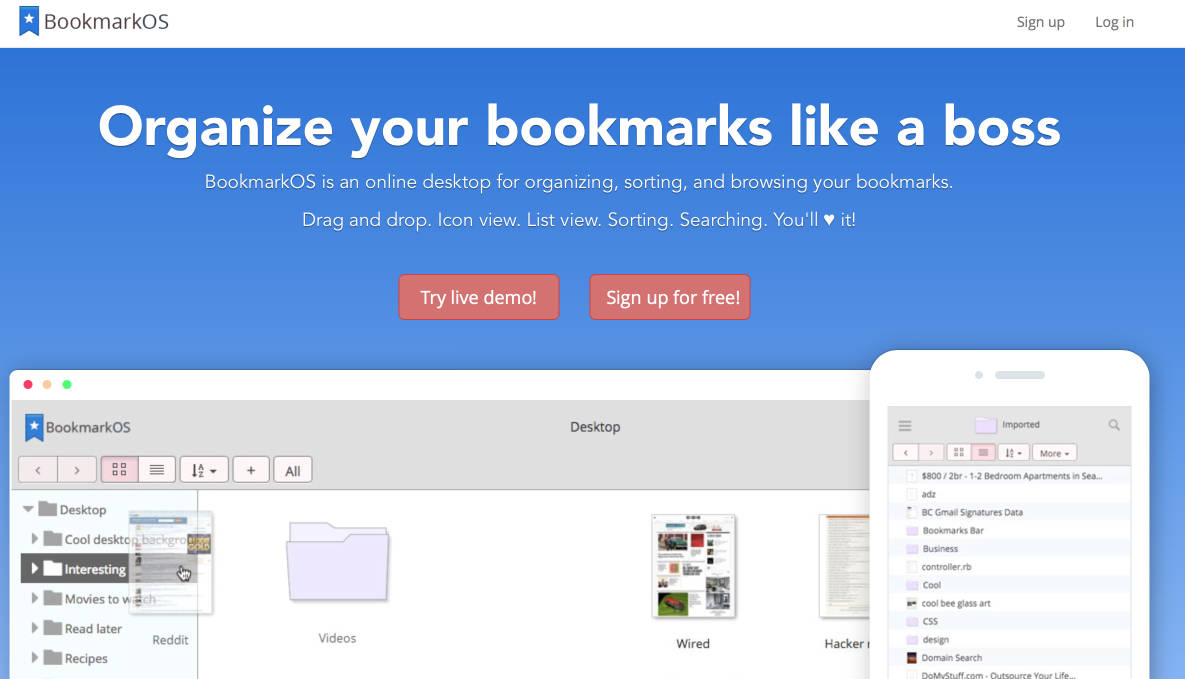
The strong point of BookmarkOs is its ergonomics, which will allow you to simply structure all your favourites without changing anything about your habits. Everything is done by intuitively dragging and dropping into a custom web page that will be displayed and can be managed from any browser on all existing devices, whether fixed or mobile.
Link: BookmarkOs
Learn Stream
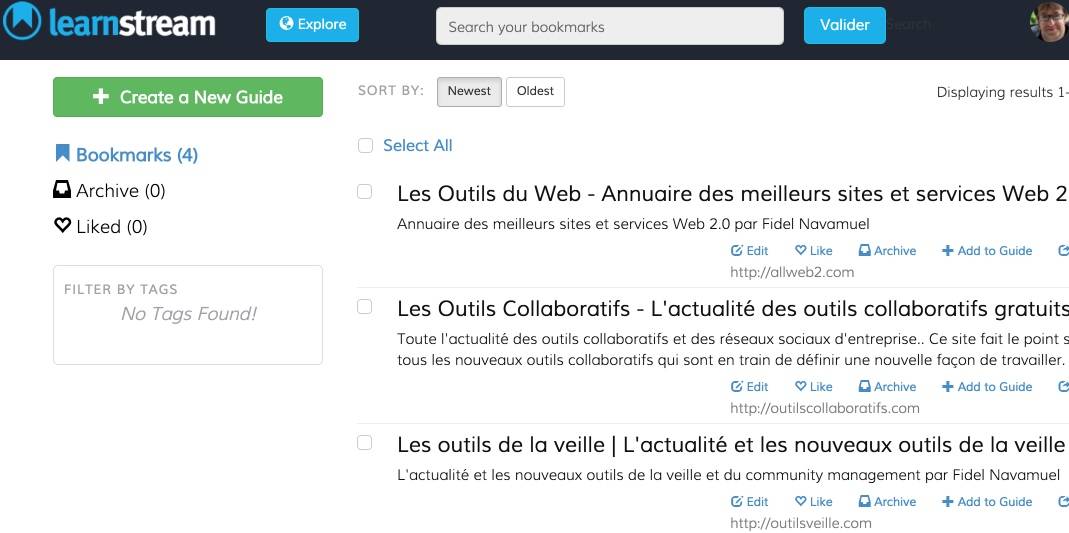
Learn Stream is another good idea to make sense of all the resources you share. The tool makes it possible to Create guides with a selection of your favorites. Guides to share that will allow you to gather and make sense of a collection of resources. Easy to use, just find a title, then write a description and finally add your favorites selection. You can do this by searching your archives or live from any web page.
Link: Learn Stream
StartMe
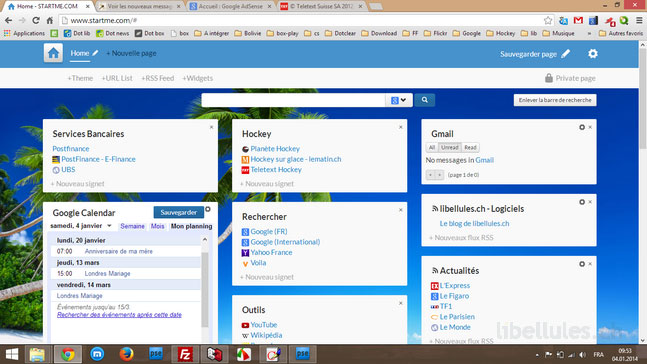
StartMe is part of the category of favorite curation and backup tools that allows you to create Netvibes way a start page grouping with tabs all your favorite sites. StartMe will allow you to create a start page for your class. Not inconsiderable, in the middle of your favorite sites, you can also pin RSS feeds that will update themselves at the rate of updates of the sites from which they come.
Link: Start.me
OpenOox

OpenOox is very similar to the previous tool by offering to create a personalised start page as well. But OpenOox is made in France and offers a nice graphic atmosphere and better ergonomics. With OpenOox you will never lose the articles or web pages you like. The tool will provide your web browser with additional functions to archive, organise and also share sites or pages that you find useful or interesting. Convenient you can also enjoy the curation and links of other users interested in the same themes as you.
Link: OpenOox
That's it for this little girl. retrospective of tools to save, rank and share your favorites seen this year on the site. And what do you use?

 English
And what do you use?
… Pearltrees! (www.pearltrees.com)
Personally, I use Papaly and am very satisfied with it.
Link: http://www.papaly.com
I love pocket!!!
Thank you for this very clever advice, which I find to be both very effective and useful in archiving and organising digitised tasks.
For me, it is symbaloo. It works very well on a personal level and especially in classes with students from the Grande Section
For me too, it’s Papaly. What is good is that you can have public pages and private pages. It is also simple to register new bookmarks and organise them.
I use Symbaloo, but the app does not work on my phone, I think I will test one of the apps in the article.