Last updated on 12 May 2026
You spent an evening correcting a copy or a project, and the next day a colleague sends you back “a small modified version” … without saying what he has changed or where.
With all these documents changing regularly (course programmes, conventions, preparation sheets, projects), it is difficult to spot changes simply by eye.
Compare two PDF or two versions of the same document is no longer a copyist monk’s work.
Table of Contents
Document comparators to see clearly
I propose you to discover three tools that do the job rather well while avoiding you to entrust your work and your content to remote AIs without guarantees (and yes chatgpt knows very well how to compare two versions of the same document).
Draftable: the most readable PDF comparator
This is my favorite from this list of three.
Draftable tool refers to professional practices in the management of “big documents” (lawyers, companies). Consequence: often paying, but there is a free online version fully operational. And most importantly, the display is made for make a decision : We can quickly see what has moved.
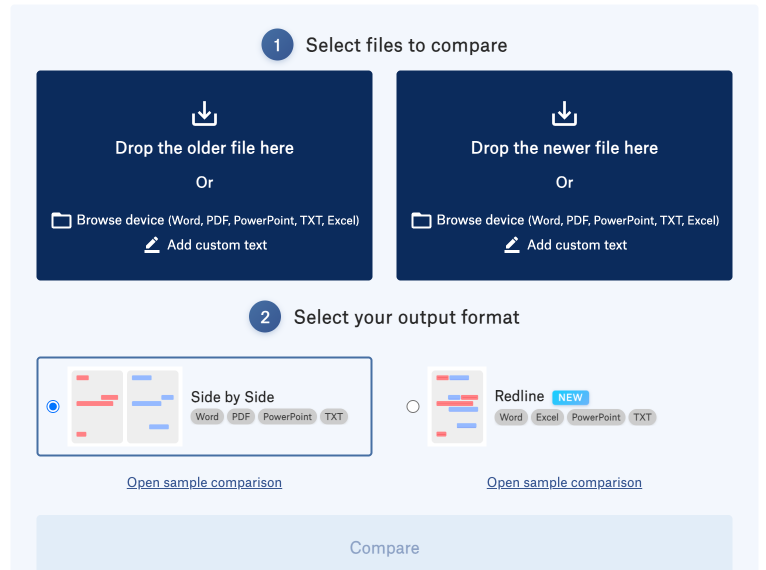
Draftable compare PDF, Word, PowerPoint, Excel, and free text. It also identifies changes in style (typeface, bold, italics …), which happens more often than you might think when a document has been “released” by someone else.
On the web, Draftable is a very simple page: two areas to drop files, a ‘Compare’ … button and that’s it.
Once the comparison has been launched:
- The two documents are displayed side by side, with synchronized scrolling. Additions are colored (blue), deletions in red, in a highlight system inspired by legal tools.
- A side panel lists the differences identified, making it possible to move directly from one change to another, without going through the entire document.
- The tool manages several formats: PDF, Word files, simple text and spreadsheets, making it possible to compare both rules of procedure and a table of notes.
The online version is free of charge within a certain limit (size: up to 20 MB per document).
Draftable highlights strong privacy guarantees: GDPR compliance, ISO 27001:2022 certification and SOC 2 for its professional offerings, with local or internal server deployment options in the paid version.
Diffchecker: another Swiss knife from the comparison
Diffchecker is he first known for text comparison, but it also offers a module dedicated to PDF and office files.
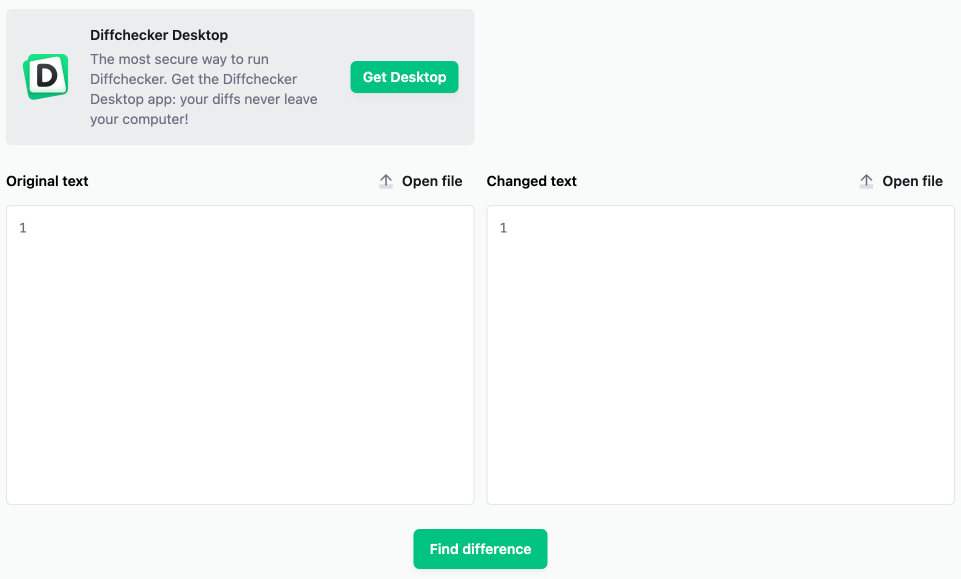
Key features:
- Comparison of PDF, Word documents, images, spreadsheets and even file folders in the Pro version.
- Display of word-by-word or character-by-character differences, useful for checking very precise test instructions or evaluation elements.
- Possibility to export a comparison report in PDF, convenient to keep track of a validated version.
The tool is available as a free online version, but also as a paid desktop application, which allows you to work without a connection and keep your files locally.
Textcompare: a simple option in French
Textcompare, in its version dedicated to PDFs, aims at simplicity: two places to drop files, a launch button and several comparison views.
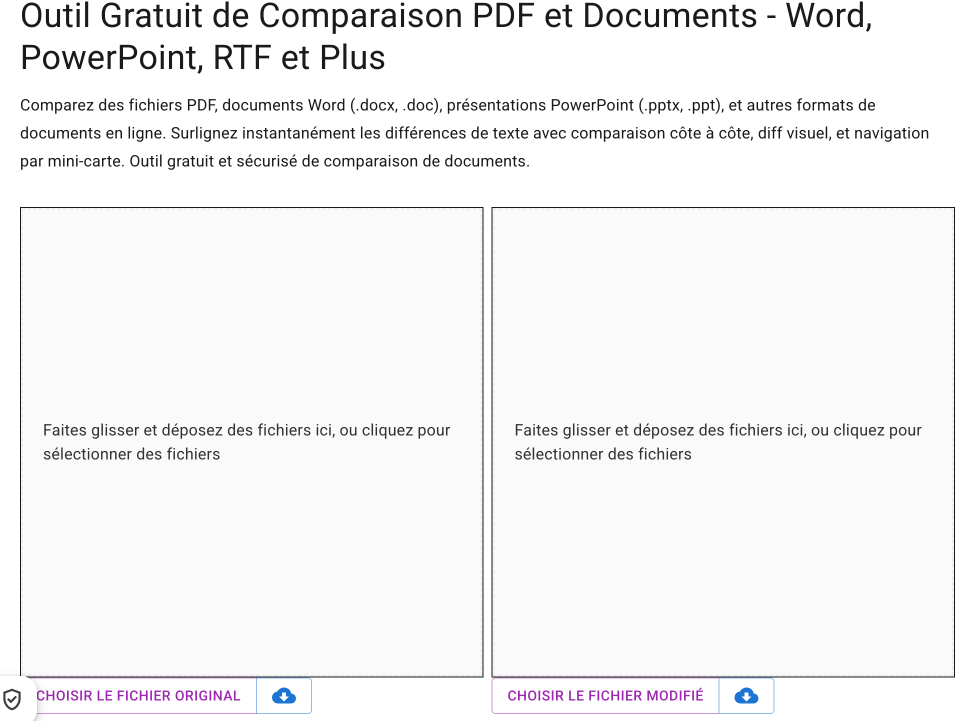
Interesting features:
- Import possible from the computer, but also from Google Drive, OneDrive or a public URL, which can be useful if your documents are already stored in a cloud.
- Several display modes:
- PDF view: side-by-side documents with changes highlighted.
- Image view: page-to-page visual comparison.
- Text view: comparison of plain text to go to the finest.
- View details: Metadata comparison and PDF properties (titles, authors, etc.).
- Export annotated PDFs with highlights to share with a colleague or team.
Textcompare indicates encrypted processing, automatic deletion of files after conversion and lack of durable storage, with specific recommendations for sensitive documents (local PDF conversion before sending).
Useful PDF comparators in class
Beyond simple version verification, these tools can provide real services in a school context.
1. Follow the evolution of a working document
- Check the edits made by a colleague on a progress, sequence or project, without rereading the entire document.
With Draftable, the side-by-side view and change list allows you to quickly validate a final version before sending it to an inspection, management or team.
2. Working with students on writing and rewriting
- Ask students to make a first version of a text (writing, commenting, synthesis) and then a rewritten version after returning.
- Compare the two versions in a tool like Draftable or Textcompare to visualize concretely the additions, deletions and reformulations.
In video projection, this shows how a text is refined: replaced turns, added examples, removed parts.
Diffchecker, with its word-by-word granularity, can also be used for language work (grammar, lexical precision) by targeting the corrections made.
3. Managing differentiation and remediation
- Compare a ‘standard’ version of an exercise sheet and a version adapted for certain pupils (police, line spacing, rewritten instructions, aids included).
- Check that the adaptations are present and consistent from one version to another, without re-reading the whole.
For teams producing adapted documents (dys, ULIS, etc.), the possibility to check at a glance what has changed between two versions limits omissions and inconsistencies.
We summarize
| Tool | Main Managed Formats | Strengths for teachers | Limits / points of vigilance | Price (indicative) | GDPR / privacy |
|---|---|---|---|---|---|
| Draftable | PDF, Word, text, spreadsheets | Very readable display, clear highlighting, list of changes, thought for long documents. | Limited free version, English interface, advanced features in paid offer. | Free online version up to 20 MB, paid offers for workstations and teams (variable rates depending on the site). | GDPR compliance announcement, ISO 27001:2022 and SOC 2 certification for pro offerings; local deployment options or hosted auto‑. |
| Diffchecker | Text, PDF, Word, images, spreadsheets, folders | Very versatile, detailed comparison, report export, desktop version possible for offline work. | Some advanced features reserved for the Pro version, interface in English. | Free web version with limits, paid Pro subscription. | Highlight secure sharing and encryption; for sensitive uses, use the desktop app to keep files local. |
| Textcompare | PDF, Word, PowerPoint, other documents converted to PDF | Simple interface, multiple view modes (PDF, image, text, details), annotated PDF export. | Limits on size and number of conversions, server processing for certain formats. | Free online tool with size and session restrictions, freemium model possible according to the evolution of the site. | Encryption, automatic deletion of files after conversion, no advertised durable storage; specific recommendations for sensitive documents. |
For one-time use in class or as a team, the online version of Draftable is often enough, provided you stay within the file size limit.
No more looking for differences
In between corrections, rather than rereading a 20-page PDF for the third time, drop both versions into Draftable and let the highlights show you in seconds what really changed.
You may soon no longer want to return to the game of "finding the 7 differences" on paper.
 English