Last updated on 12 May 2026
It’s back for a new year. The recovery is a good opportunity to take stock and sort among its digital tools. Those we have already forgotten, those we never or rarely use, those we want to give back a chance and then there are the essentials. Here are five of them.
5 tools digital, which I will find very difficult to do without. 5 safe values of my Back to School Digital Toolkit.
Table of Contents
Experquiz. Digitize, animate and evaluate training
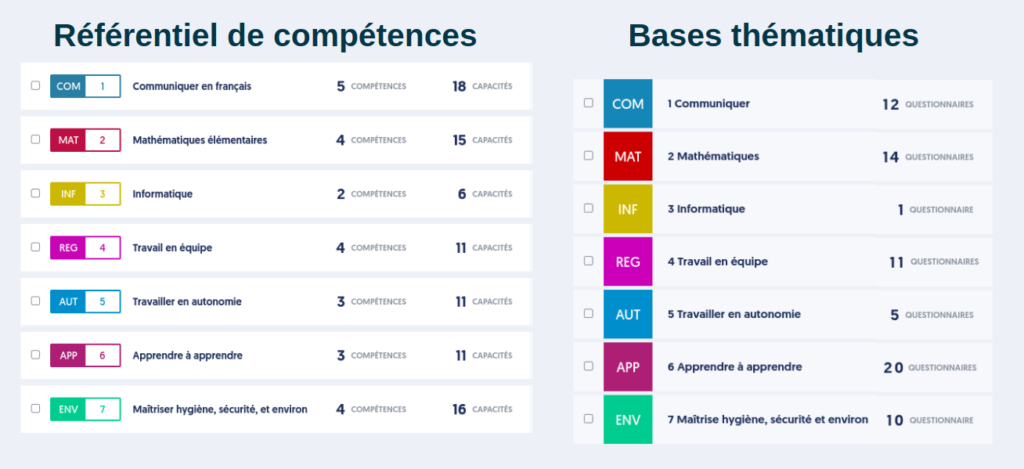
Experquiz allows to create questionnaires and evaluations on all subjects. You can integrate different types of questions and combine them with interactive tools. This is a very high-quality French solution. Beyond evaluations and questionnaires, ExperQuiz offers all the tools to build and deploy training. It can also be used for e-learning modules by integrating course materials, media, assessments and certifications. As I indicated in a recent article on this evaluation tool. ‘ ExperQuiz is one of the best online knowledge management and assessment platforms, if not the best.”. A very comprehensive solution, it adapts to the training and skills management needs of companies as well as to use at school or university.
Canva. An online graphic design studio for all your needs

Is it still necessary to present Canva ? I have done so many times here.. This online tool puts graphic design at everyone's fingertips, plus fun. You will indeed enjoy making beautiful posters for the class or stickers, presentations, a schedule … The platform offers thousands of models to avoid the fear of the blank page. You will also find millions of photos and illustrations to use freely in your creations. Canva regularly adds new functions such as the possibility ofEdit and edit a PDF file. Canva's success is also due to its education version. Specific access for teachers but also for their students with adapted models. What are you waiting for to get started? Canva is free for teachers.
Digital. Free services for education

The Digital is a totally awesome free and free digital toolkit. Too many to mention here, the Digital tools are perfectly suited for use in the classroom. Go for a ride on the article I dedicated to them some time ago. The Digital offers responsible and free digital tools to support teaching and learning processes both in-person and remotely. A useful work done by Emmanuel Zimmert and a beautiful business card showcase for the Free Software in education.
BitWarden. Manage and secure all your passwords
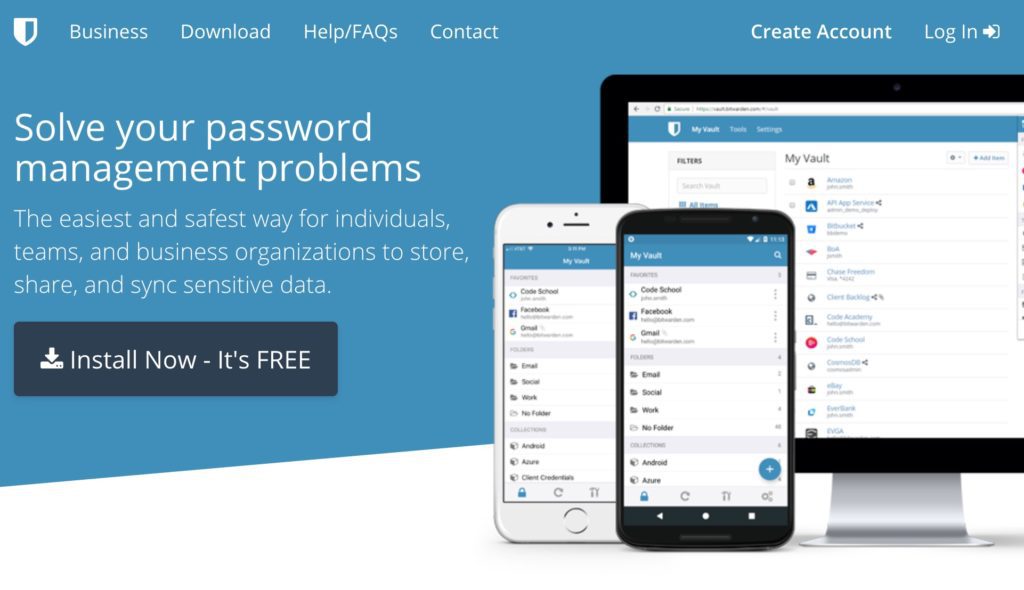
BitWarden saved my life thousands of times. How to remember the dozens of access codes and passwords that accumulate throughout our digital life. BitWarden is a kind of ultra-secure digital safe that allows you to always have all your logins and passwords on hand, whether you are on a computer, tablet or laptop. Bitwarden is open source, free and ultra-secure. Installed on your computer, it can even if you want to choose a secure password for you. A great productivity tool. With BitWarden, you will never forget a password again.
Evernote. An elephant memory to never forget anything

Evernote is my second brain. This tool will become your best ally to remember everything. With Evernote you will be able to keep your notes, projects, tasks, schedules, memories in the same place accessible on your computer, tablet or smartphone. It is a multimedia notebook in which you will be able to archive and classify everything you want. You can add text, images, audio, scans, PDFs and documents. You can scan important documents or handwritten notes and keep them handy on all your devices. Evernote’s strength lies mainly in an extremely powerful integrated search engine. Type a word, Evernote will fetch it from your stacks of documents regardless of their size. He will find it even if it is in a scanned handwritten note or in a photo. All at the speed of light. The personal version costs about 6 Eur per month. One of my digital investments that I have never had to regret.
So much for these five digital tools that have become indispensable to me. And you what are your essential digital tools and services for this new school year?
 English
For my second brain, I use Notion, free with a limit of 5 MB per file.
Note that it allows Evernote to be imported. Thank you for your work.
Hello,
I do not know Experquiz, I will still discover a tool thanks to you!
I am happy to use Canva, Bitwarden and LaDigitale, which are magical and free tools.
As far as Evernote is concerned, it is a fantastic tool, and I have used it for a long time. I left him after it became clear that they reserved the right to take a look in our notes, without needing to warn us. As a result, I use Zoho Notes, which seems to me to have greater respect for data than Evernote, even if it is not as practical.
Hello,
I do not know Experquiz, I will still discover a tool thanks to you!
I am happy to use Canva, Bitwarden and LaDigitale, which are magical and free tools.
As far as Evernote is concerned, it is a fantastic tool, and I have used it for a long time. I left him after it became clear that they reserved the right to take a look in our notes, without needing to warn us. As a result, I use Zoho Notes, which seems to me to have greater respect for data than Evernote, even if it is not as practical.
Thank you Fidel! What would we do without you? I had been using Canva for years without ever having taken the time to connect as a teacher! Thanks to you, it’s done! I am discovering fantastic options. As a FLE teacher, the essential tool also remains for me Quizlet and its flashcards. My adult students love it. I opted for the paid version. The Quizlet live (speed game) always puts a thunderous atmosphere in the class. Very very good back to school. I am again totally present in my classes, finish the masks!!!! I'm on a little … 🙂 cloud.
Hello,
Thank you for all your valuable advice.
I will add Genially.
And I am always looking for a whiteboard software that would allow me to create several at home, save them so that I only have to open them in class (I teach two subjects and change rooms every hour).
Any ideas? 😉