Last updated on 12 May 2026
How can we teach our students to distinguish a real image, captured by a lens, from a creation of one of the multiple tools to generate images with iA?
The challenge is no longer just to check the source information, but to analyse the authenticity of its visual medium.
And if you launch your next session with a collective, simple and impactful challenge: distinguish in real time a image generated by AI a real photo. The three services presented below offer games to test your ability to distinguish AI-generated images from real images. Useful in the beginning of courses, in the workshop or in conference. They will put your students in a situation of active observation and justification of their choices.
Rather than multiplying the long theoretical discourses, why not propose a Interactive Game ? Your students will love it.
Table of Contents
Fake or Real – A customizable quiz to learn how to detect the true of the false
URL: https://fake-or-real.net/
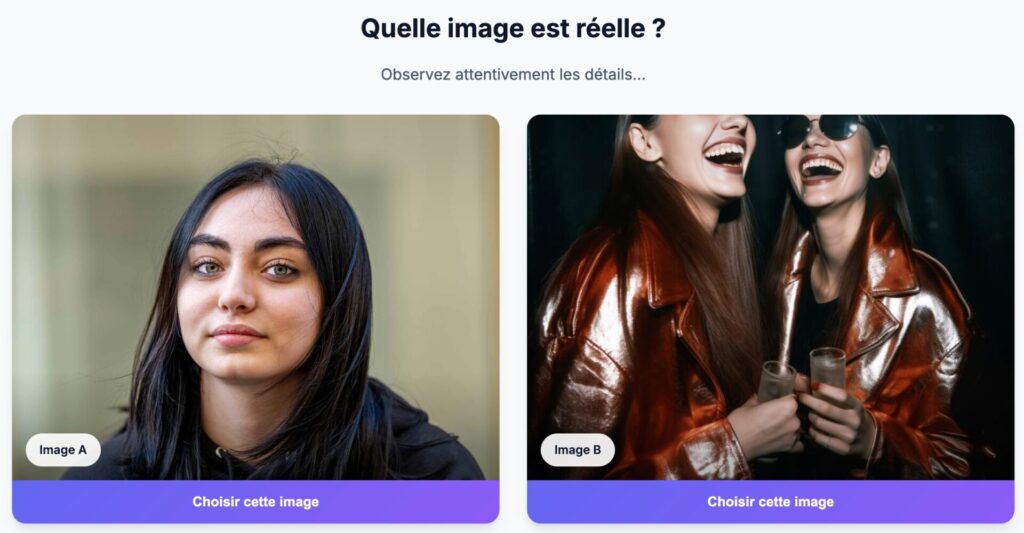
Fake or Real 2.0 offers a game in French around a simple question: Can you distinguish the Reality of the False ? ". . . The clear, ad-free interface immediately installs an attractive gaming environment.
Before you start, you can adjust the difficulty levels: Easy (30 s per question, indicative success rate 85 %), Medium (20 s, 65 %), or Difficult (15 s, 45 %). I did several tests. The difficult level is really difficult 😉 and I have been trapped more than once.
You can then choose from several themes: Portraits (human faces and expressions, Landscapes (nature and environments), or Fauna and Flora (animals and plants).
Finally, you can choose your game mode: Classic (20 questions, traditional score), Sprint (10 questions in 2 minutes), or Survival (until the first error). I love the third option.
During the game, you compare two images (A and B) and answer "Which image is real?".
At the end, one Scoreboard Poster: final score, number of correct answers, total and average time, and one ‘performance per question’. A statistics module keeps your "played games", "best score" and "global accuracy", with a visualized progression. The settings enable/disable sound effects, animations, automatic hints, and reset stats.
Fake or Real is by far the best and most comprehensive of the three gaming sites featured here. Put it first. It is free and ad-free.
Ideas for use in class:
- Projector + Survival Mode: have the class vote (cards A/B or voting tools) and immediately discuss the observed clues.
- Thematic groups: Divide the class by themes (Portraits, Landscapes, Fauna/Flora) to compare perceived difficulties.
- It’s up to you to invent your own.
You can also test:
Reality Check – 20 pairs of images renewed weekly
URL: https://realitycheckk.com/week3
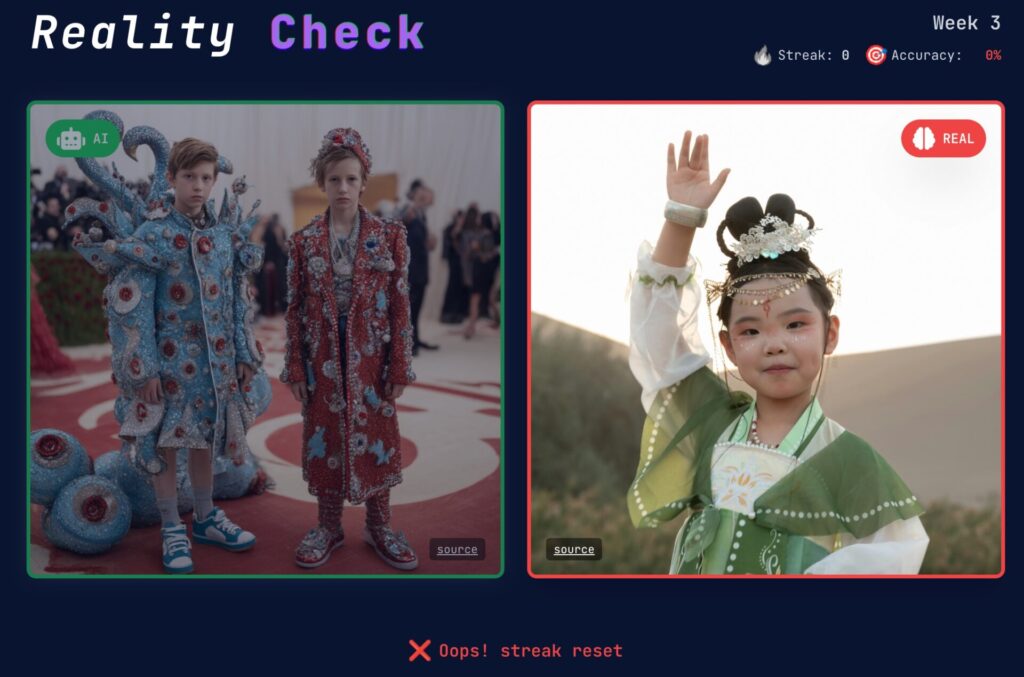
Reality Check follows the same idea as the previous one: propose a game to train to distinguish between AI-generated media. This is a relevant option for a NDE sequence in English (EMILE/CLIL) or to confront students with non-French-speaking interfaces.
It is free of charge, without advertising and without a necessary account. The game is updated weekly, with images from different AI models (for now, they are generated on Midjourney). The week I tested the theme was the red carpet of big events. Fake and real stars, I got the sore of 17/20/ You can zoom in on the images and share your score with your colleagues, students or friends (challenge accepted?).
You play with the arrows on the keyboard and point to the image that is false. The results are immediate and appear before moving on to the next image.
A realme. 10 questions with corrections and explanations
URL: https://www.arealme.com/ai-test/fr/
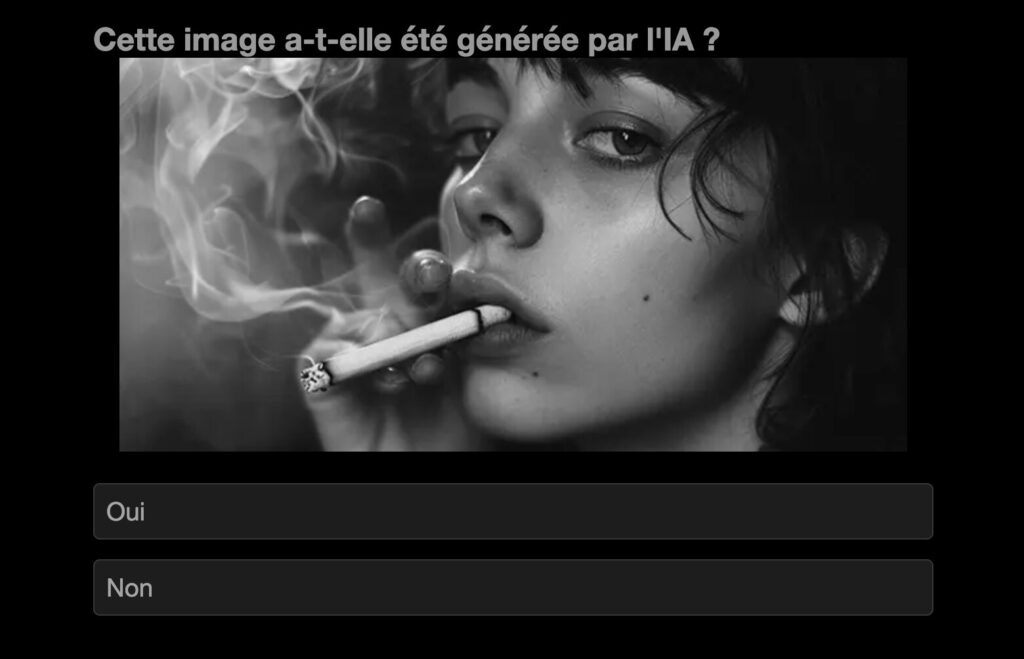
This third site offers a test in the form of quiz with a defined number of questions (often 10 or 20 images). You must click to designate the ‘AI-generated’ image among the two proposed. The highlight of this tool is the end result, which assesses your "level of discernment" and provides a quantified balance sheet. The weak point, if it is free as the two previous ones it is a little drowned in advertising.
How to avoid being trapped by AI omages: Some practical tips
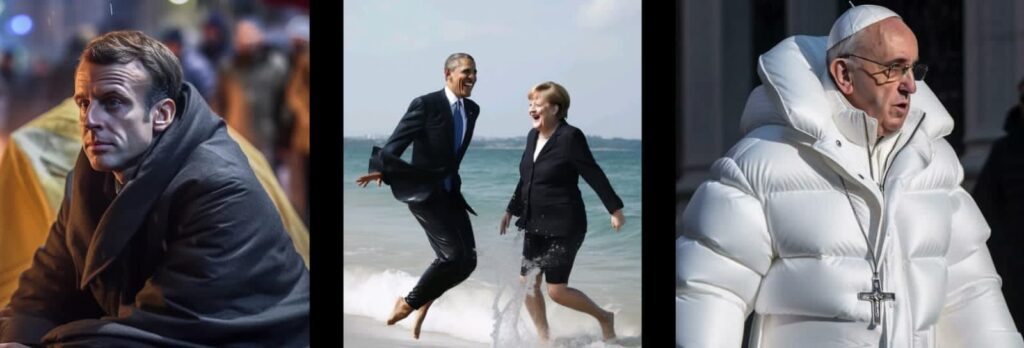
With more than 30 million AI images produced daily by platforms such as DALL-E, Midjourney or Stable Diffusion, it becomes crucial to know how to detect them. Here are some practical tips to sharpen your critical eye and that of your students.
Examine the anatomical details
The hands remain the Achilles heel of theAI. Carefully scan your fingers: count them, check their proportions and angles. AIs still frequently generate extra fingers, impossible postures, or inconsistent skin textures. The eyes also deserve your attention: Look for asymmetrical pupils, identical reflections in both eyes or characteristic "glassy" looks.
Analyze Physical Consistency
Lighting and shadows do not lie. AIs struggle to faithfully reproduce the interaction of light with objects. Check if the shadows match the apparent light source and if the reflections are logical. Also look at the physics of the scene: In a beach image, do the footprints in the sand match the feet of the characters?
Identify textual imperfections
Integrated texts often betray AI. Words can be distorted, illegible or have non-uniform fonts. Logos, signs or labels often appear incorrect. This weakness persists even in the most recent models.
Beware of perfection
Too perfect an image is suspect. AI tends to create abnormally smooth surfaces, skin without pores or imperfections, and colours that are too saturated or artificially attenuated. In nature, textures always have a certain irregularity that AI struggles to replicate convincingly.
Check source and metadata
Try to trace back to the origin of the image. An authentic photograph usually contains EXIF metadata indicating the device used, the date and the shooting parameters. AI images often lack this information or present inconsistent generic data. Use tools of reverse search such as Google Lens or TinEye to check if the image exists elsewhere on the internet.
Faced with the rapid evolution of AI, these techniques remain our best allies. You know the saying, ‘the devil hides in the details’ You have to take the time to carefully observe each image before trusting it.
 English
Beyond the 3 online games, super summary of the criteria to detect fake images, very useful, thank you!